

Registration for CUET 2026 is now open at cuet.nta.nic.in. The CUET UG application form 2026 is now available for students to complete and submit. Only those who have registered will be allowed to download their admission card and show up for the test. However, in order to take the test, students studying for CUET UG must fill out the online application form. Candidates should make sure they have all the required paperwork and details ready before completing the CUET 2026 application form. In order to keep their candidature from being cancelled, they must also fulfil the CUET eligibility requirements.
Important Links for CUET UG 2026
cuet pyq | cuet kya hota hai | cuet courses for biology students | vocabulary for cuet ug
The registration deadline for CUET UG 2026 is January 30, 2026. The notification slip and admission card will only be available to individuals who successfully go through the CUET application procedure and pay the CUET 2026 application cost. Three to four days prior to the exam date, the CUET 2026 admit card will be made available. The estimated times for CUET 2026 are May 11–May 30, 2026, according to NTA. The test will be administered in a CBT format at many locations in India and abroad.
How to fill the CUET Application Form 2026?
Those who are unsure about how to take the CUET test can follow the instructions below to complete out the CUET form 2026.
Step 1 – Registration
- After entering the CUET 2026 admission site, candidates must click the “Registration” option.
- Use your CUET login credentials to finish the application.
- Carefully follow the instructions to learn how to complete the online application form on the NTA website.
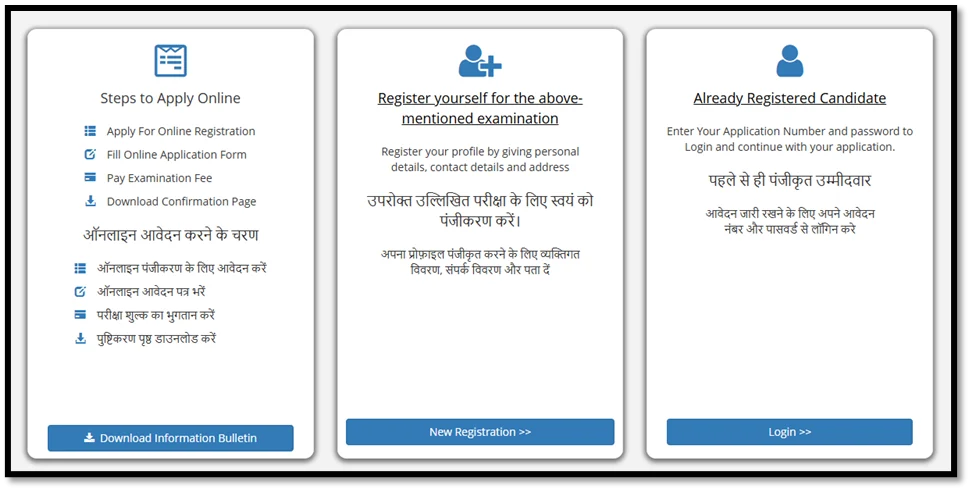
- Select the “click here to Proceed” tab after marking the declaration.
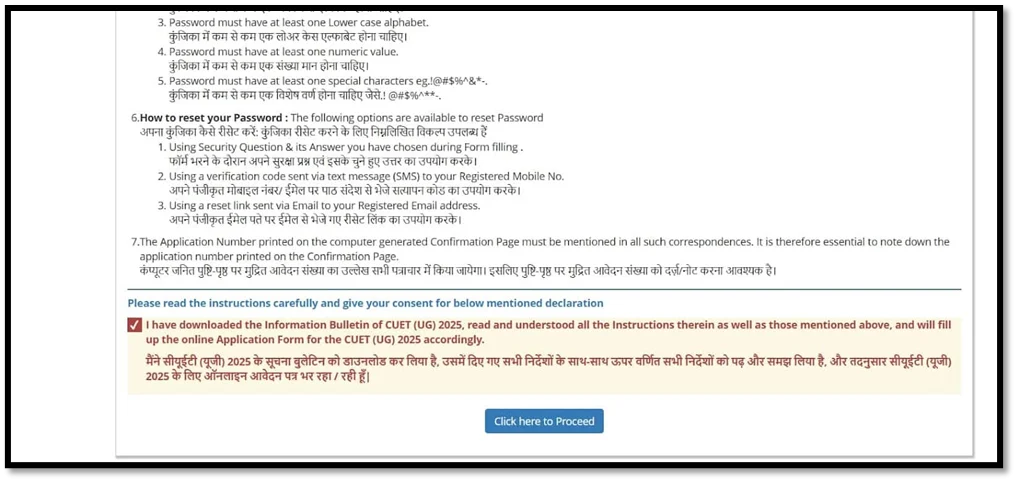
- The CUET 2026 registration form will now appear on the screen.
The initial section of the application form requires candidates to provide details about themselves.
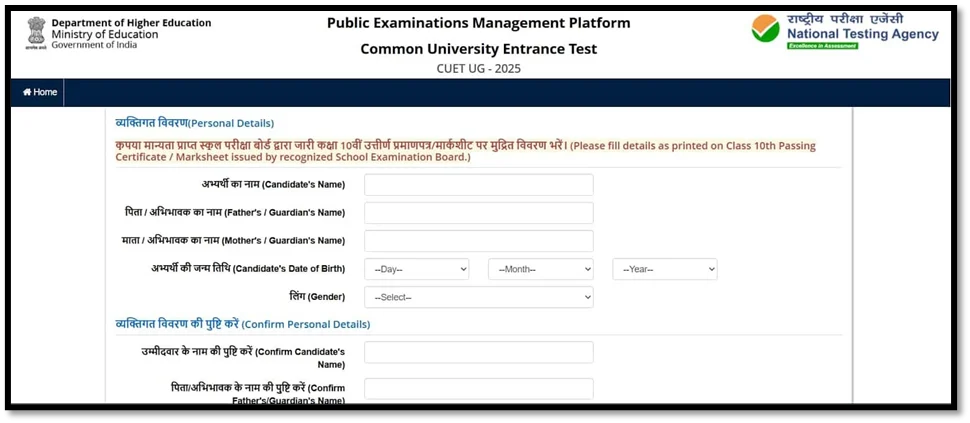
- The personal information will include the candidate’s name, birthday, gender, nationality, mother’s and father’s names, and identity documents.
- Applicants must give their phone number and current place of residence here.
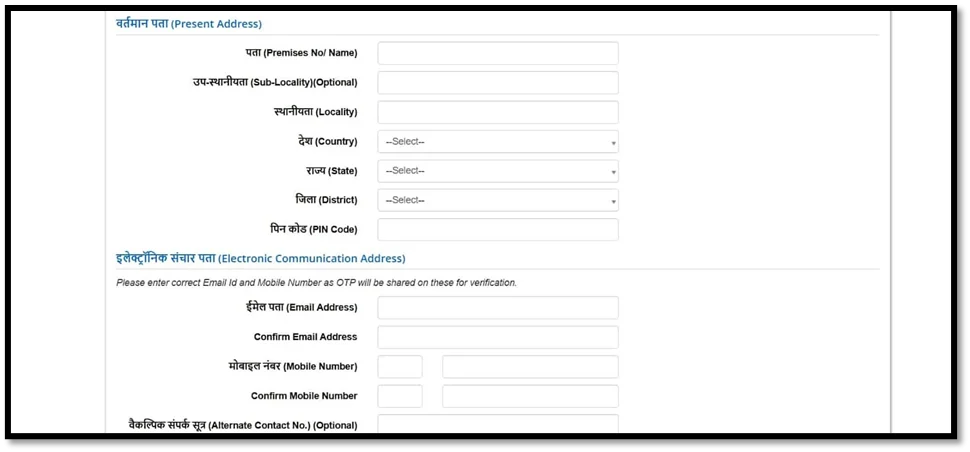
- They ought to mark the box if their permanent address matches their present address when asked for it in the following stage. If not, candidates will need to provide their permanent address.
- Now create a password consisting of eight to thirteen characters, one capital, one lowercase, a single unique character, alongside a single number. Consider Dec@2016.

- Next, enter the password once more to confirm it.
- Once a security question has been chosen, answer it.
- In the last section, candidates must input the provided security pin.
- To finish the registration procedure, click “Submit.”

- You must now go over the completed information.
- Candidates must tick the box adjacent to the information and declaration to verify all the precise details after verifying the previously mentioned information.
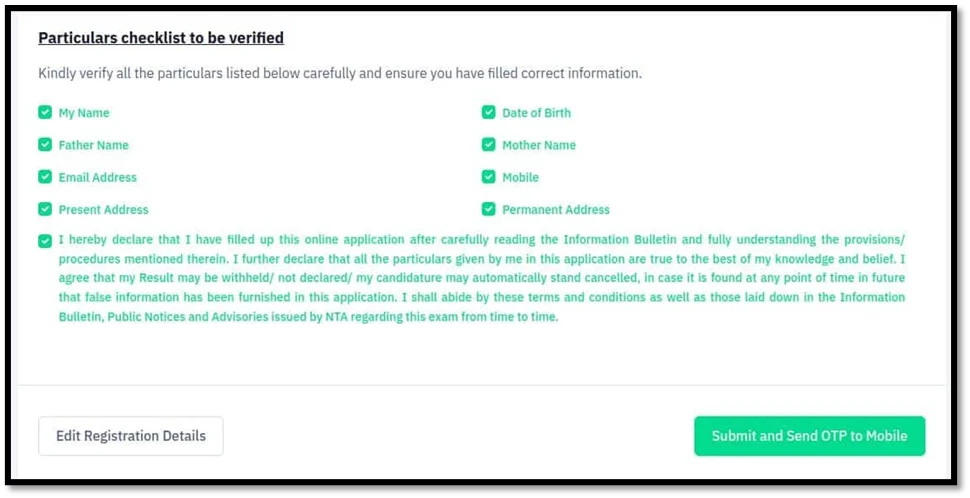
- Candidates must select “Edit Registration Details” if they want to modify any information in the registration form.
- Click “Submit and Send OTP to Mobile” to complete the registration form and continue.
- Enter the obtained OTP now.
- After the registration form is submitted, the mobile number that was entered will receive an OTP.
- Click the “Submit” tab once the security PIN and OTP have been entered.
Step 2. Filling the online CUET 2026 application form
Personal details
- Similar to the registration procedure, candidates must fill out the first section of the application form with their personal information, a few of that will be prefilled.
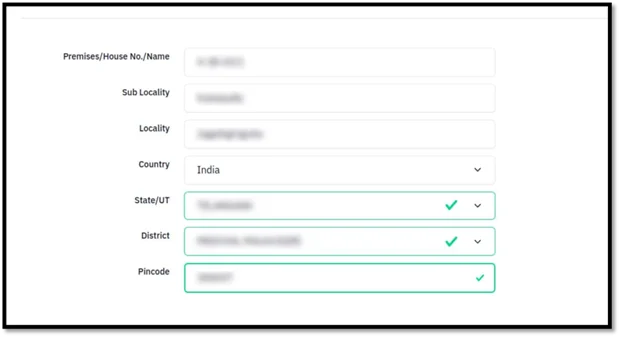
- Candidates can check the current address they entered on the registration form and then make any required adjustments after providing their personal information.
- After that, the permanent address will be displayed, and candidates can change it if they want to.
- An applicant may also just select the box on the left if the present and permanent address match.
Quota & Category
- Click “Yes” if a candidate falls within any of these quotas or categories; otherwise, click “No.”
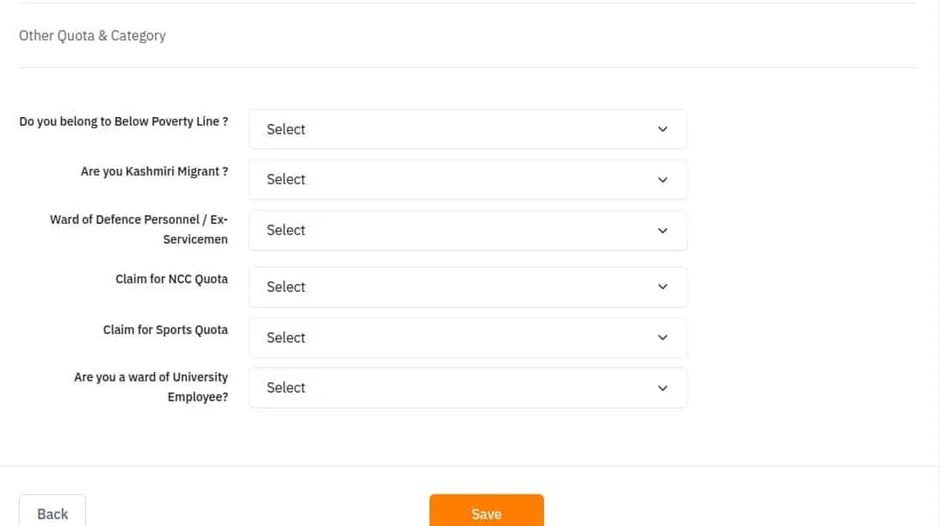
- Candidates may now click “Back” to go return to modify to the application.
- Click “Save” to store all the information.
- After reviewing the completed form, applicants can click “Back to Dashboard” to go back to the previous phase or “Proceed to Next Section” to move on to the next.
Education details
- You must enter your educational information in this part, including class 10 and class 12, as shown in the image below.

- Click “Save” to continue after completing their educational information, or press “Back” to return to the previous page.

Examination Centre Selection
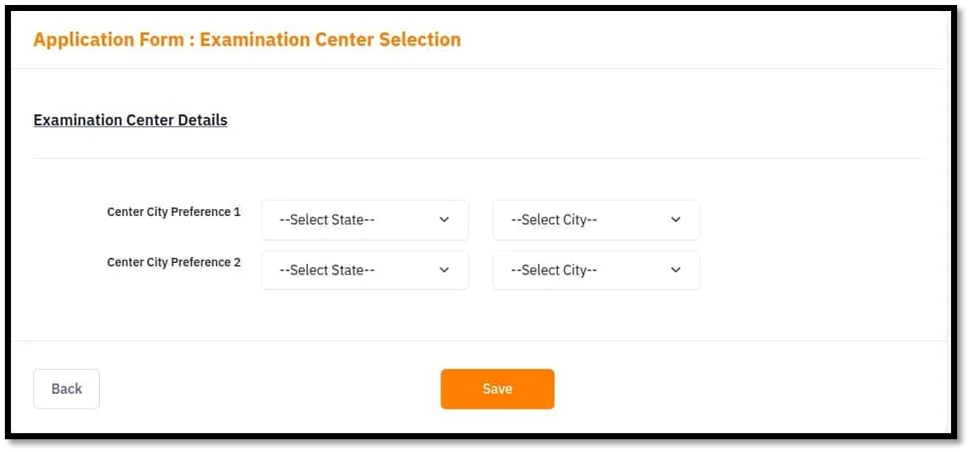
- After you have chosen your test locations, click “Save.”
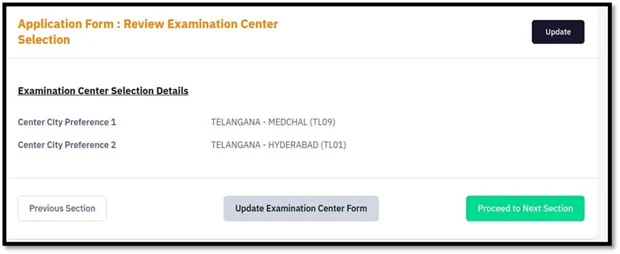
- Verify the exam venues now that applicants have been chosen.
- To return to the previous part, click “Previous Section”; to update the examination center form, click “Update Examination Center Form.”
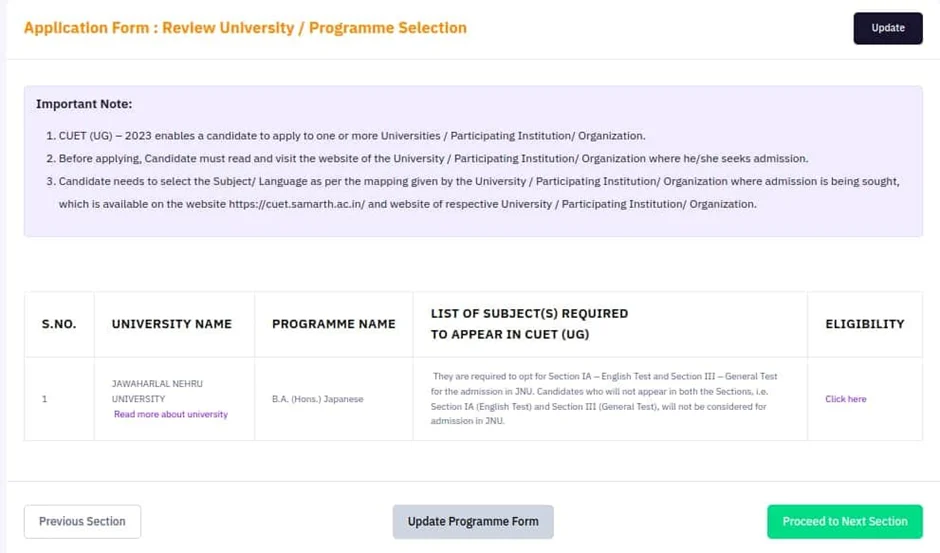
Selection University and Programme

Upload documents
- Candidates must upload their signature, along with photo and Class 10 documents in the asked format and sizes.
- After this, hit on the “Start Upload” to upload the papers after choosing the photo and signature, or click “Cancel” to delete them.
- Click the “Proceed to Preview Section” option after candidates have uploaded their papers.
Review the duly filled application form
Before moving on to the payment area, make sure all the information on the application form is correct.
Candidates must check a few specific things at the conclusion of the application form by checking the box next to the provided information and statement.
Step 3. CUET 2026 application fee
Verify the information required for payment.
| Category | Application fee (3 Subjects) | Application Fee (for each additional subject) |
| General | Rs. 1000 | Rs. 400 |
| OBC/EWS | Rs. 900 | Rs. 375 |
| SC/ST/PwD | Rs. 800 | Rs. 350 |
| Centre Outside India | Rs. 4500 | Rs. 1800 |
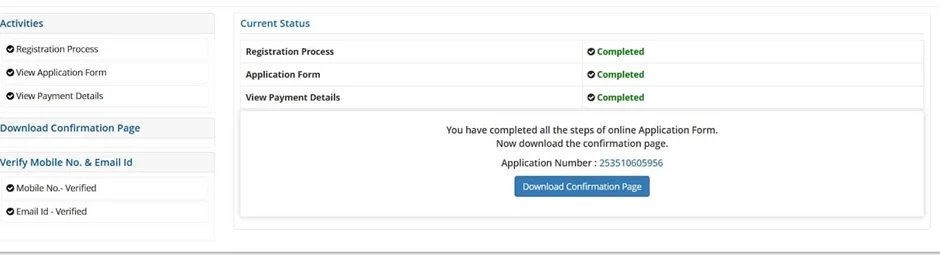
Step 4. Payment of CUET UG Application Fee
Conclusion
If you are the one willing to apply for the CUET UG 2026 application form then you are required to adhere to the above given instructions and details. Following the process will surely make the CUE UG 2026 registration process easier. In case of any difficulty, you must check the official CUET UG notification released by the NTA on its official website.
Start Your CUET 2026 & 12th Board Prep Now!